Some time ago I installed Ubuntu 24.04 on my Lenovo ddeapad 3 gaming laptop. Every day they put more ridiculous names to laptops, but anyway.
The thing is that, after installing it, some config was probably changed somewhere. I dont know exactly where, but every time I started the laptop I saw this message:
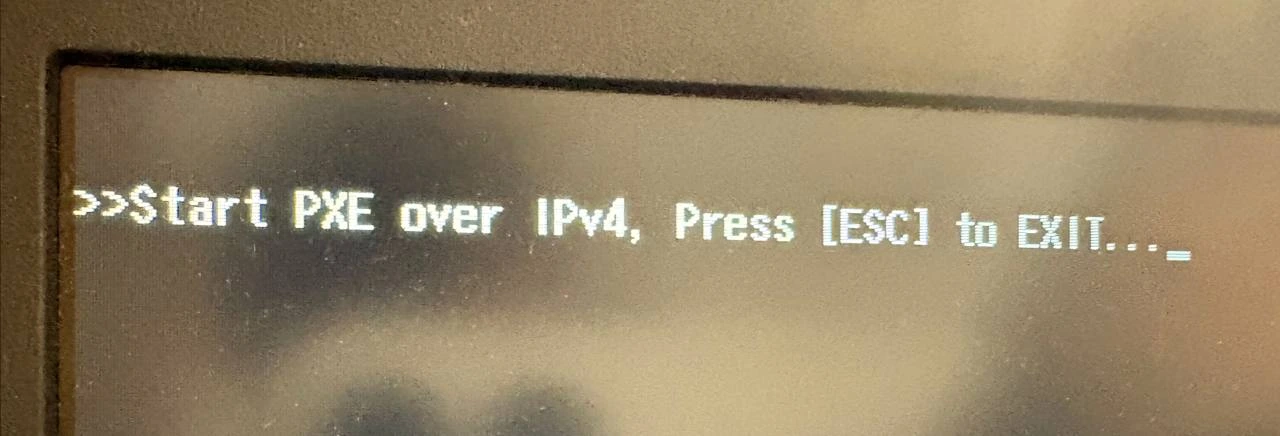
Nothing was really broken. I pressed Esc, the laptop continued its way, and it booted from the HDD as always.
But the message was there every time. It was not dramatic, but it was annoying enough.
What Was Happening
The problem was only a boot option. Nothing more
PXE is used to boot from the network. That can be useful in some environments, but I don’t need it on this laptop. In my case, the BIOS had PXE Boot to LAN enabled, so the laptop was trying to start from the network before continuing with the normal disk boot
This was the configuration causing the message:
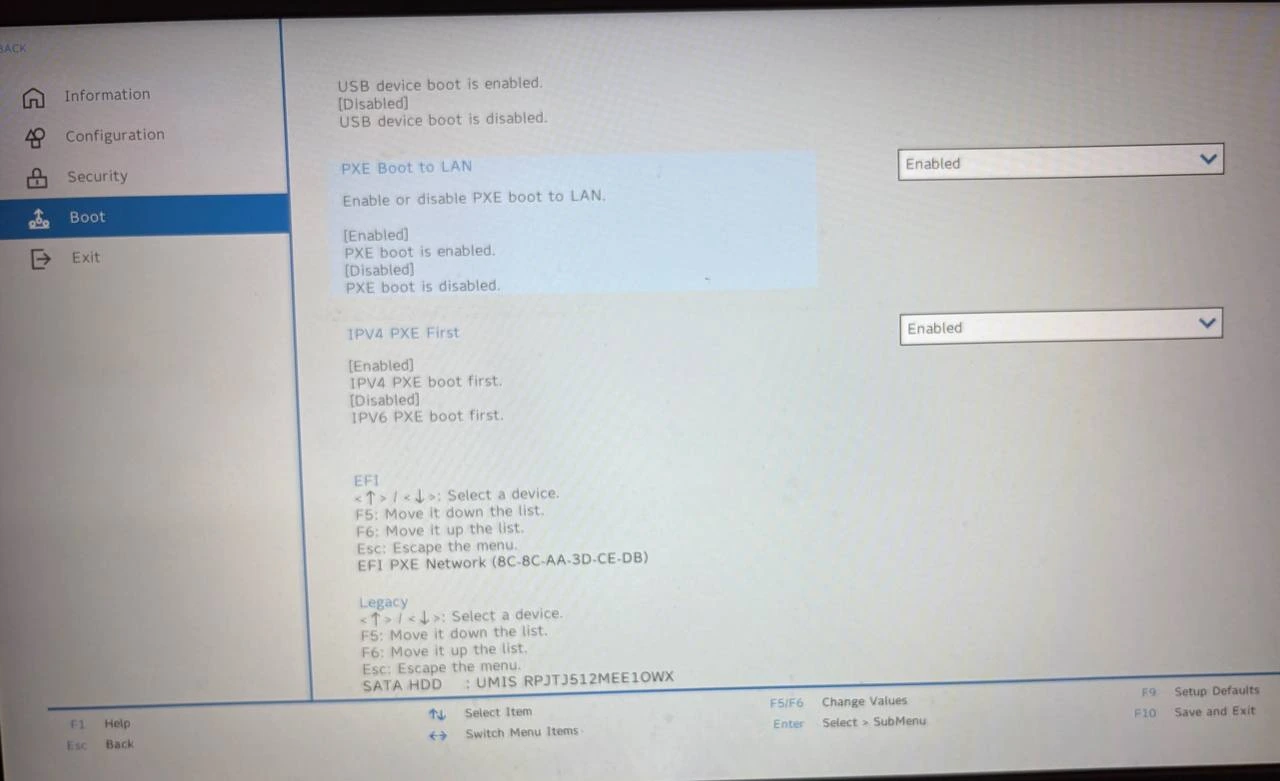
I am not very proud of this, but because of laziness and because pressing Esc was easy enough, I left it like that for too much time.
After finally repeating myself “do not leave for tomorrow what you can do today”, I entered the BIOS and fixed it
Enter the BIOS
First you need to enter the laptop BIOS.
In my Lenovo laptop, I have to press F2 on the initial Lenovo screen. Maybe in other laptops it is another key, but for this one F2 is the one.
Disable PXE Boot to LAN
Once inside the BIOS, go to the Boot options.
There, look for PXE Boot to LAN and change it from Enabled to Disabled.
This is the same setting after changing it:
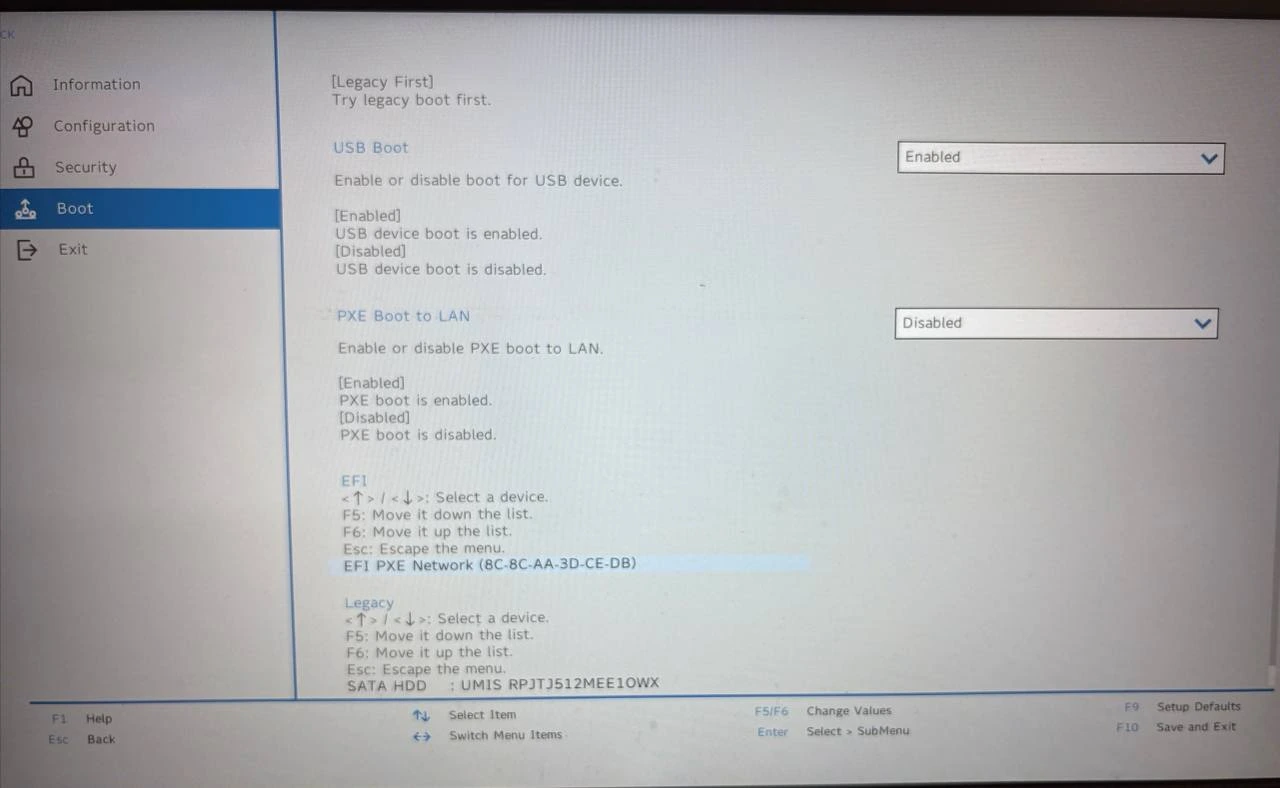
After that, go to Exit and choose the option to save and exit. In this BIOS you can also use F10 for save and exit.
And… done
Conclusion
Sometimes the idea of doing something is harder than the thing itself.
I think it took me more time to write this small guide than to fix the problem in the BIOS. But well, now it is solved, and I can finally stop wasting the Esc key stupidly every time I turn on the laptop